Searching and filtering
Are you trying to choose some songs to play at a wedding? Maybe you’re providing ambience at a work function? Or perhaps you are playing live music on a Friday night at a nightclub? For whatever reason you are trying to choose a song, SongSheet Pro can help you find the right ones for your gig.
Searching songs
When viewing your songs, there is a search bar that allows you to quickly search through your songs for whichever one you are thinking of. Simply tap on the search bar, and start typing. SongSheet Pro supports searching for:
- Song titles
- Artists
- Composers
- Lyricists
- Arrangers
- Tags
- File types
When typing, SongSheet Pro will provide search suggestions based on the songs in your library. Tap on a suggestion to refine your search. In this way you can easily search for songs that match with multiple tags or any other combination of search criteria.
Filtering songs
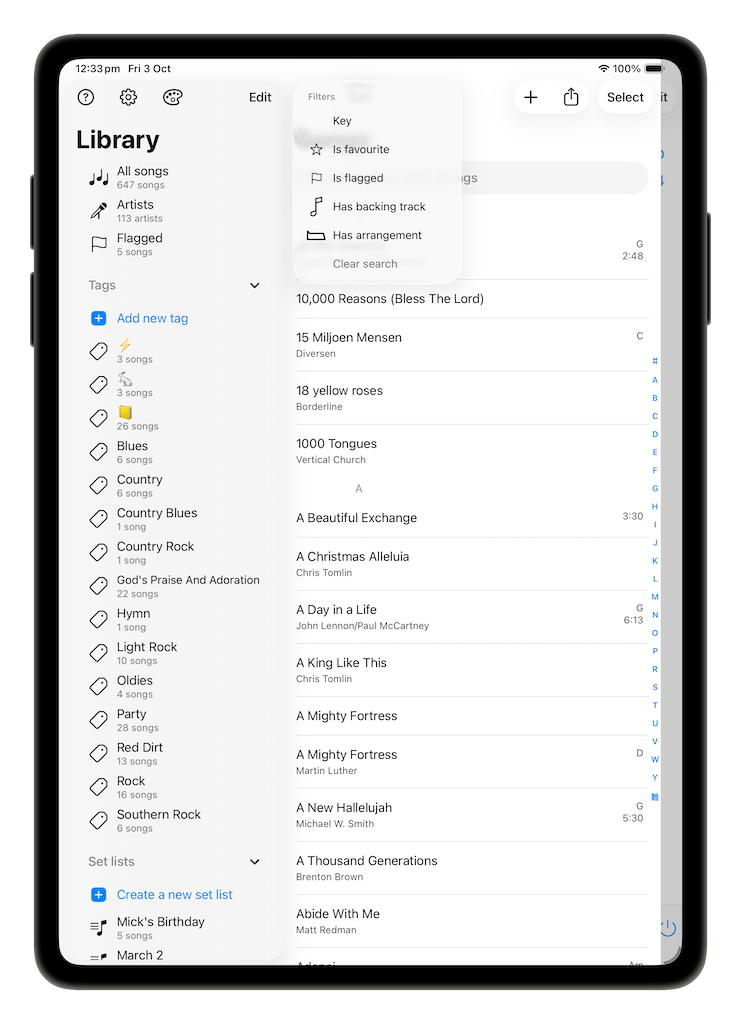
SongSheet Pro offers a filter function to quickly find all songs that match certain criteria. The filter button is found directly above and on the left side of the search bar. The filters that can be used include:
- Key;
- If the song is or is not marked as a favorite;
- If the song is or is not flagged;
- If the song has or does not have a backing track; or
- If the song has or does not have an arrangement.
You can select multiple filters at once, and SongSheet Pro will apply all of them at the same time. Once you are done filtering your songs, you can press on Clear search to remove all filters.
The filtering options also combine with the search suggestions to provide an even more powerful way to find the songs you are looking for.
Sorting songs
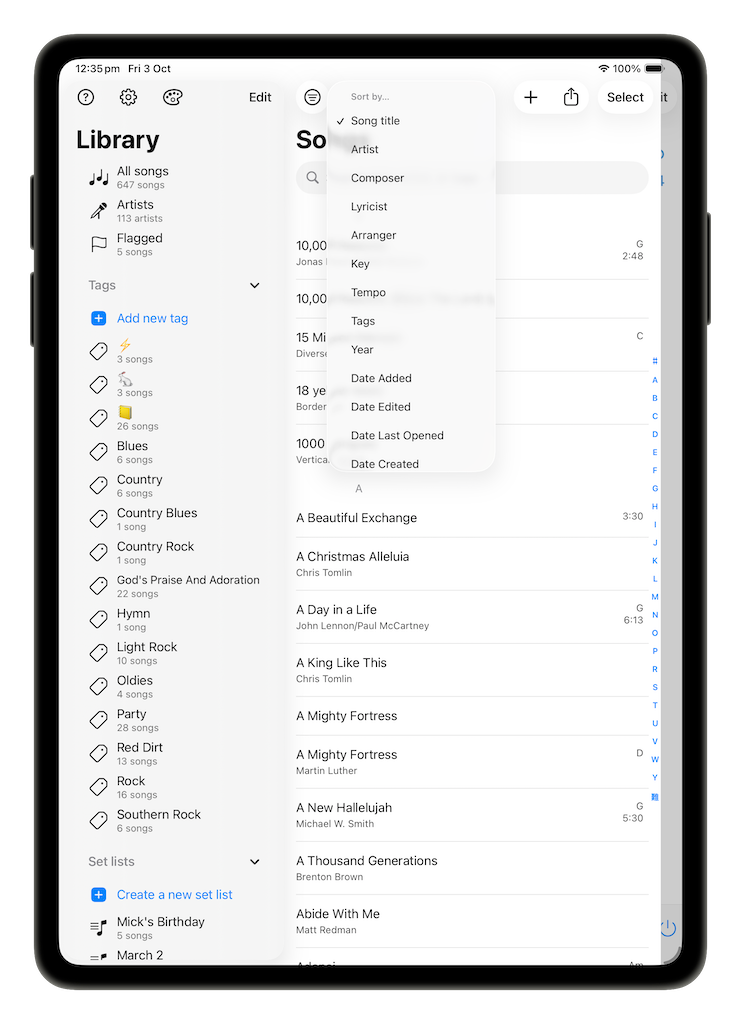
In addition to filters, SongSheet Pro also groups songs together according to commonalities. The default sorting order is based on song title. The Sort button is found directly right of the filter button. The full list of sorting options is:
- Song title (numbers first, then a-z)
- Artist
- Composer
- Lyricist
- Arranger
- Key
- Tempo
- Tags
- Year
- Date Added
- Date Edited
- Date Last Opened
- Date Created
Not all songs will have metadata for each of these options. For example, a song may not have a separate lyricist. In these cases where a song has an empty field, it will be placed at the end of the list in its own category.
Quick navigation
For each sorting of songs, SongSheet Pro will provide a quick navigation bar on the right-hand side of your song list. If you are trying to find the song “Amazing Grace”, then you can search for it in the search bar, or tap on the “A” to quickly navigate to all the songs in your library that begin with “A”, and then scroll from there to find the song that you are looking for.
Tags
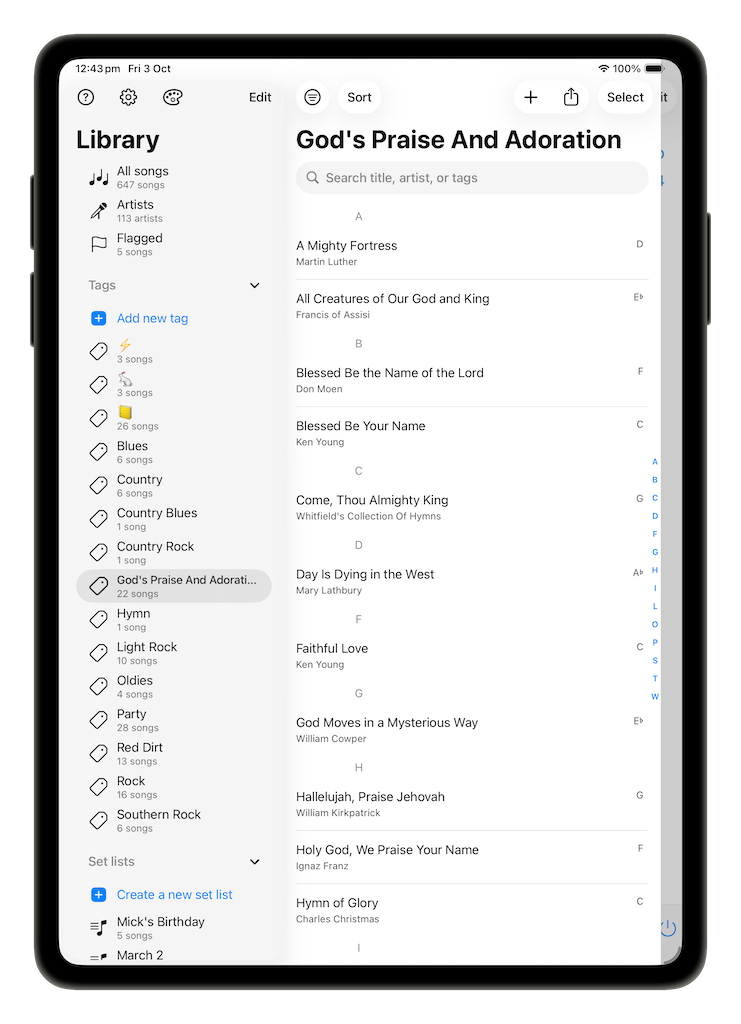
On the library pane, there is a section for all the user-defined tags. If you are looking for all the songs tagged with a certain tag, then you can tap on it and SongSheet Pro will show you the list of all songs with that tag.
From this view, you continue to have the same search, filter, sort and navigation options that are accessible for your entire library. Feel free to combine any combination of these methods to quickly come up with a few songs for your perfect gig setlist!