Tempo and time signature
Tempo
By default, no tempo is set when a song is first created.
Tapping on Set tempo (if no tempo is set), or the existing tempo if set, will show the following popover:
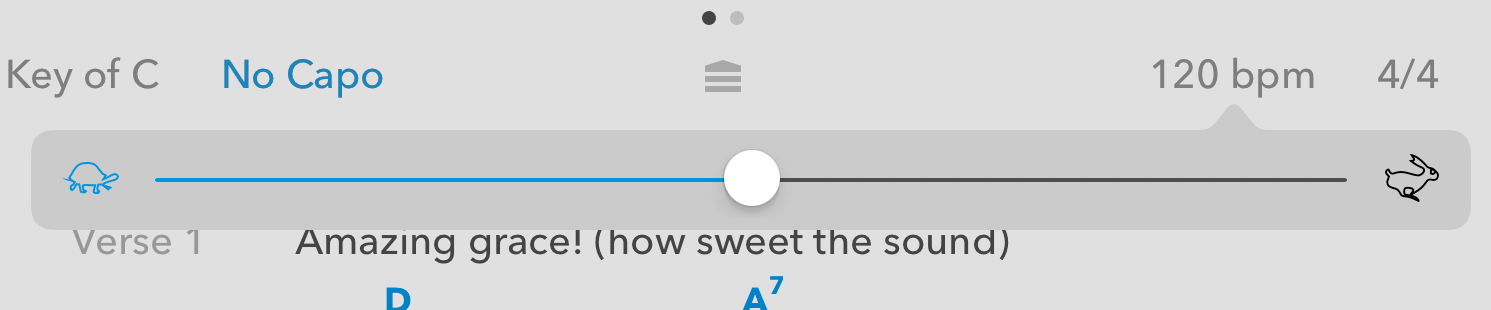
Use the slider to set the new tempo, or tap the turtle or rabbit to nudge the tempo up or down by 1. Alternatively, tap on the current value and type in a new tempo.
To remove the tempo altogether, tap the trash/bin button at the top left of the tempo picker.
Time signature
By default, no time signature is set when a song is first created.
A wide range of values can be set for the time signature by tapping on the current value, or “Time signature” if no time signature is currently set, and selecting new values from the popover that appears:
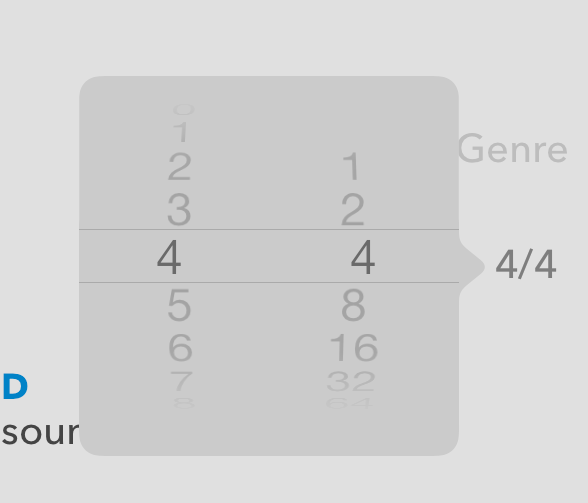
Values from 1/1 up to 16/64 can be set. Set the new value, and tap “Save” to apply the new time signature to the song.
To remove a time signature, tap the trash/bin button at the top left of the time signature picker.