Song metadata and tagging
Song metadata
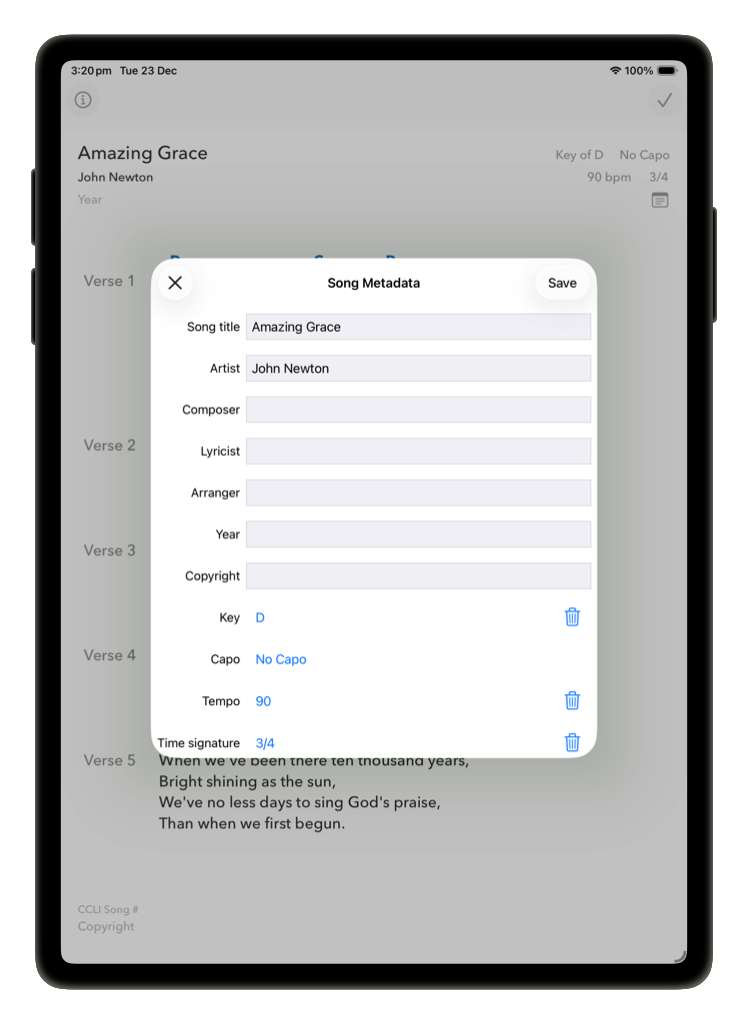
Besides the lyrics themselves, the following metadata can be added/edited for a song:
- song title
- artist
- composer, lyricist, and arranger
- key (when changing the key you will have the option to automatically transpose all chords in the song)
- capo
- tempo
- time signature
- year
- tags
- notes
- copyright
- CCLI song number (if applicable)
The last two of these appear at the very end of the song, in the footer. The rest of the fields are either in the header, or accessible via a drop-down menu in the navigation bar.
You can use the search function in the library view to search for songs by their titles, artists, composers, lyricists, arrangers, tags, or file types.
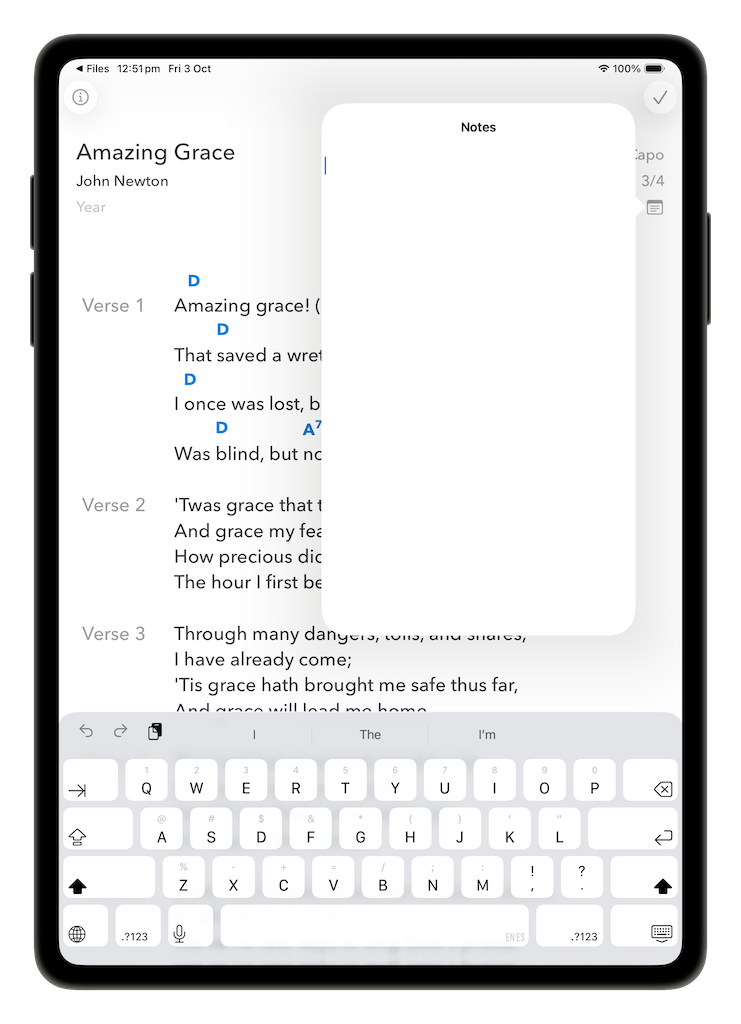
Notes
If you enter notes for a song, the notes button will be visible even when not in edit mode, allowing you to tap to display them at any time.
Tags
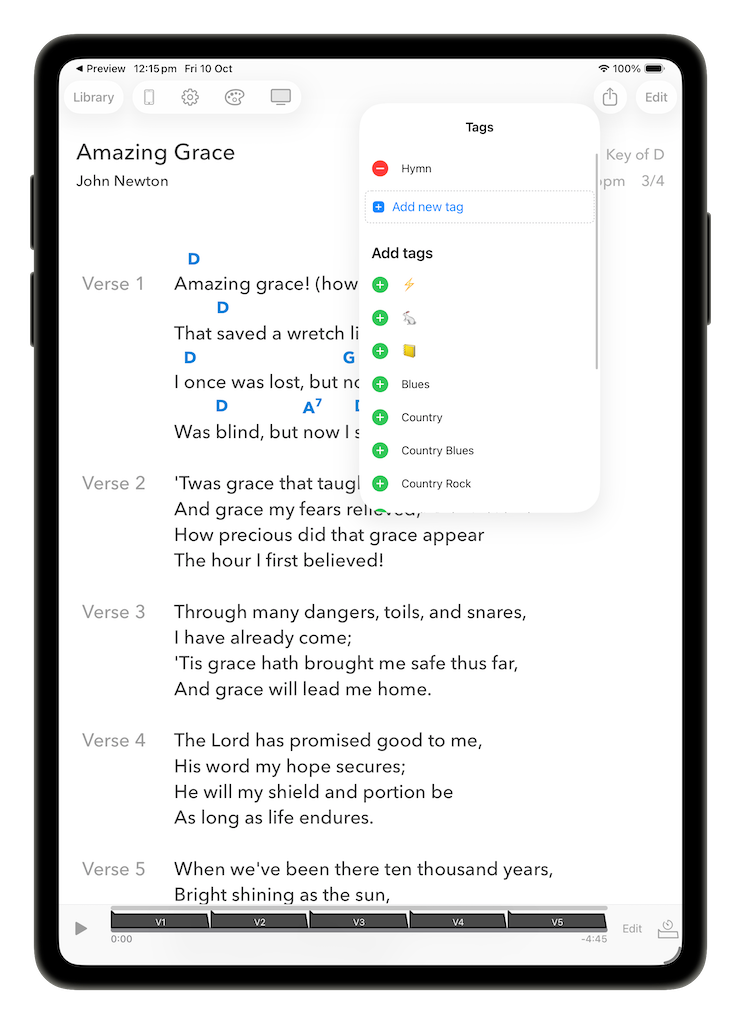
When not in edit mode, you can tag, flag, or favourite a song. You can choose any of the tags that already exist, or create your own. A song can have any number of tags, and the tags can be words or symbols.
When viewing your songs in the library view, you can filter your songs by whether or not they have been flagged or favourited. You can also search the songs by tags, or tap on one of the tags on the library pane to filter your library by that tag.
Backing tracks and arrangements
When you add either a backing track or an arrangement to a song (see section 5: Performing for more detail), this information is also stored as metadata for the song. You can then filter songs in your library by whether they do or do not have a backing track or an arrangement, making it easy to quickly find songs that are performance-ready.