Improvements to Document Conversion
One of the things we’ve been working on recently is improving the conversion process. For a long time, SongSheet Pro has allowed the import of several different file formats, including PDF, Microsoft Word, and RTF documents. Upon importing such files, users have been able to view them but not edit them. They can be used in performances, but are limited to using the auto scroll feature, with or without a backing track. Themes cannot be used to modify the text of PDFs and Word documents. Editing is limited to modifying the title, composer, or other metadata. SongSheet Pro offered the ability to convert these documents into editable songs, but the results were not always perfect.
With this week’s release of SongSheet Pro version 2025.18 this changes. Many updates have been made to the conversion of PDFs, RTFs, and Word documents into editable songs. These include:
- Adding the ability to scan images for text using OCR (optical character recognition), rather than solely relying on the (sometimes non-existent) text data
- Adding the ability to choose between extracting text data and using OCR to find text
- Adding the ability to convert RTFs to editable songs
- Improving the algorithm for detecting the exact location of chords in relation to the lyric text
- Improving the detection of metadata including capo, tempo, and more
- Adding detection of preset stanza name abbreviations
The result is a much more accurate and reliable conversion process, which the following examples demonstrate.
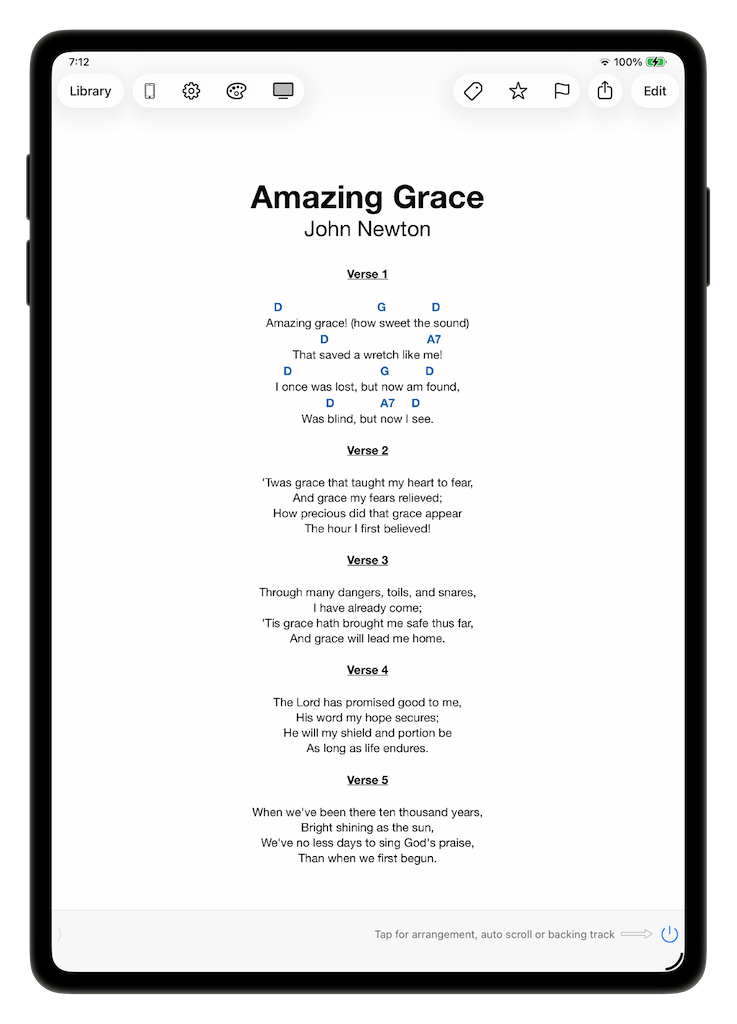
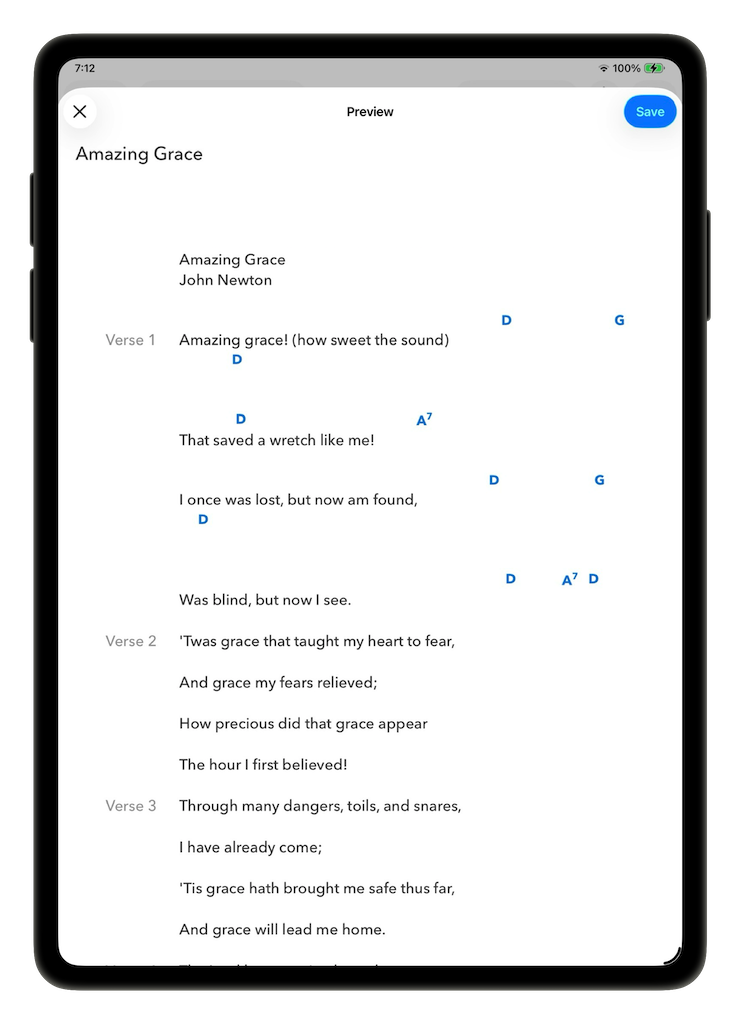
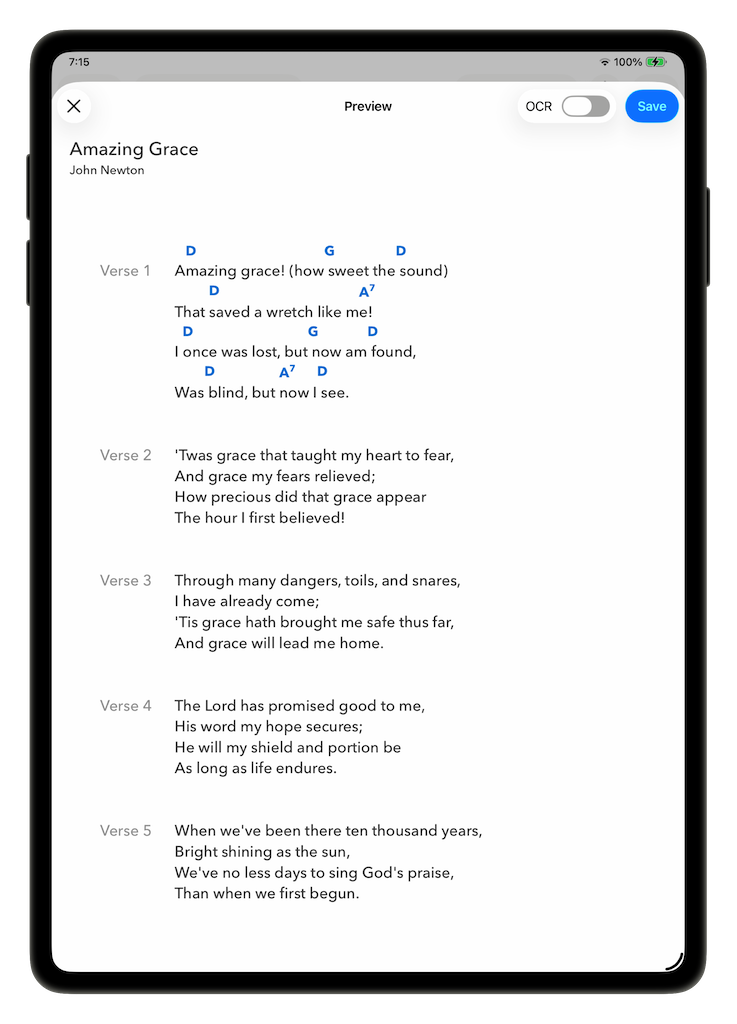
Amazing Grace: Improved chord positioning
Files such as these were particularly challenging - centered text, a proportional-width font, and lots of spaces to correctly position the chords visually. SongSheet Pro’s old method of “counting spaces” to position the chords was just not up to the task.
| Song, pre-conversion | Old conversion | New conversion |
|---|---|---|
 |
 |
 |
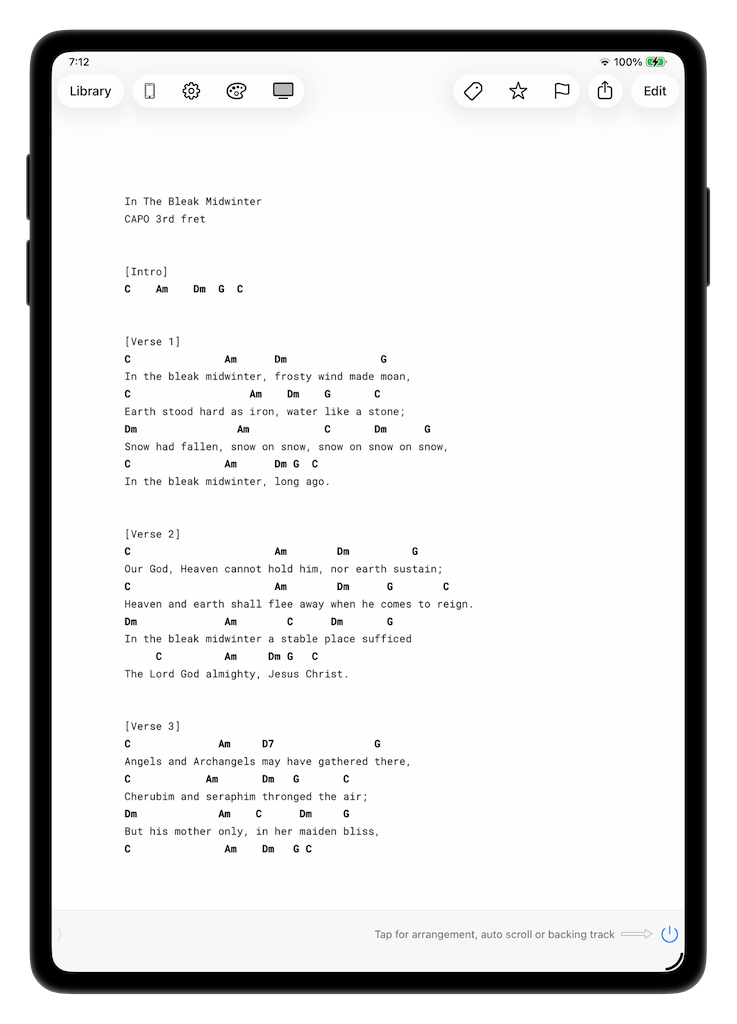
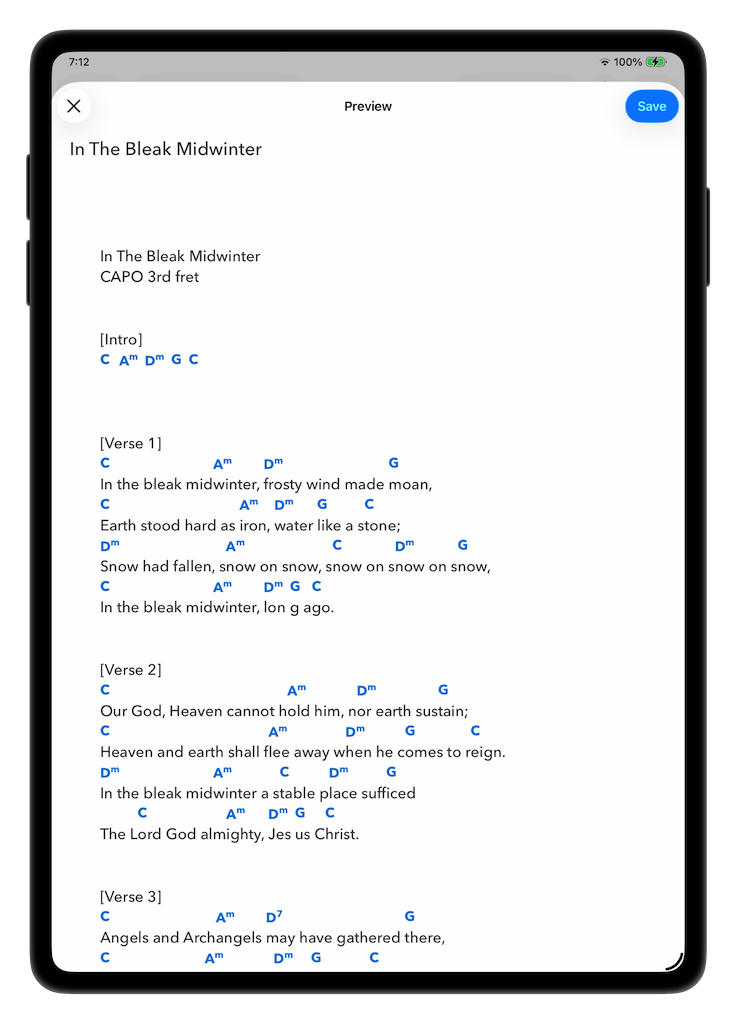
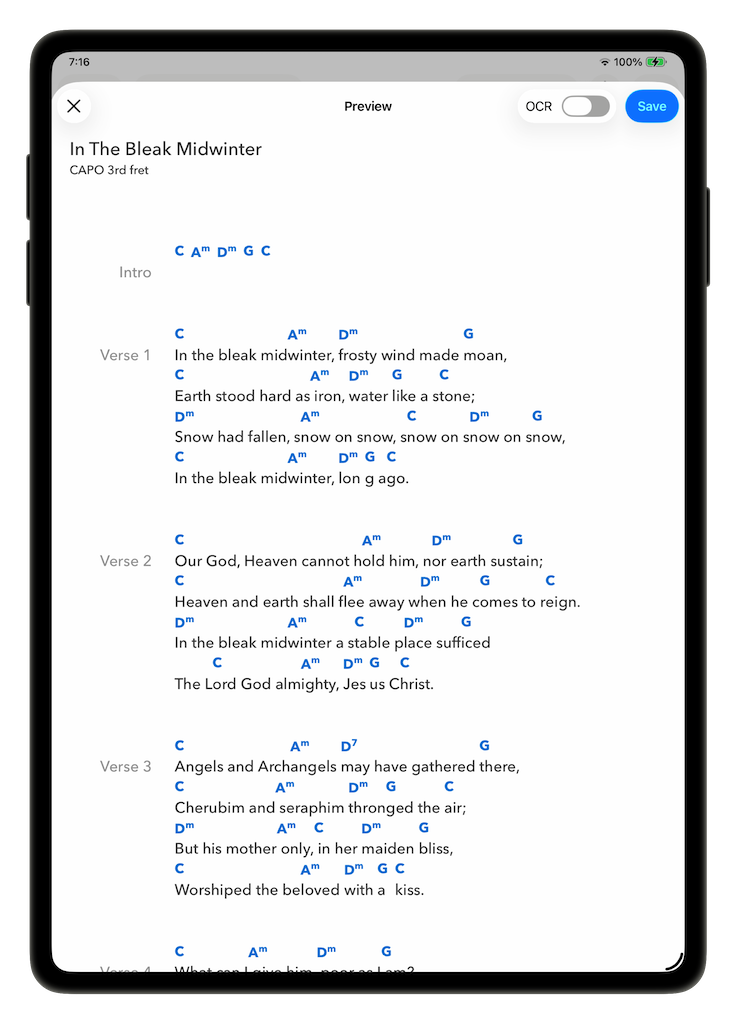
In The Bleak Midwinter: Improved stanza detection
SongSheet Pro now recognizes more ways that stanza names are written. In this example, stanza names are surrounded by square brackets.
| Song, pre-conversion | Old conversion | New conversion |
|---|---|---|
 |
 |
 |
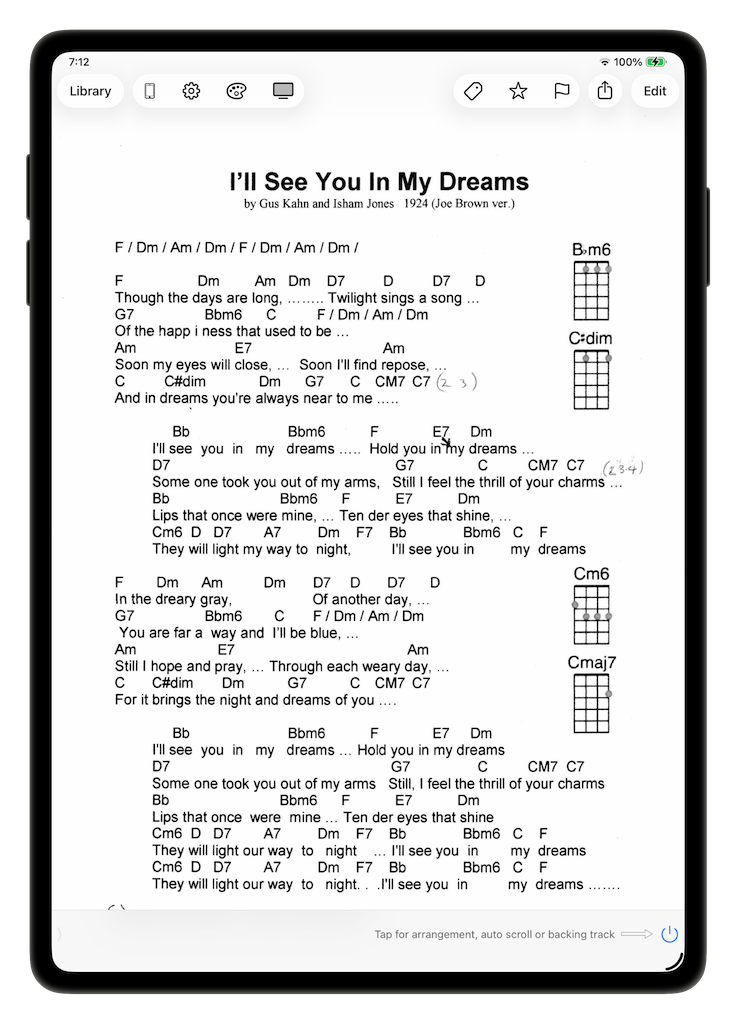
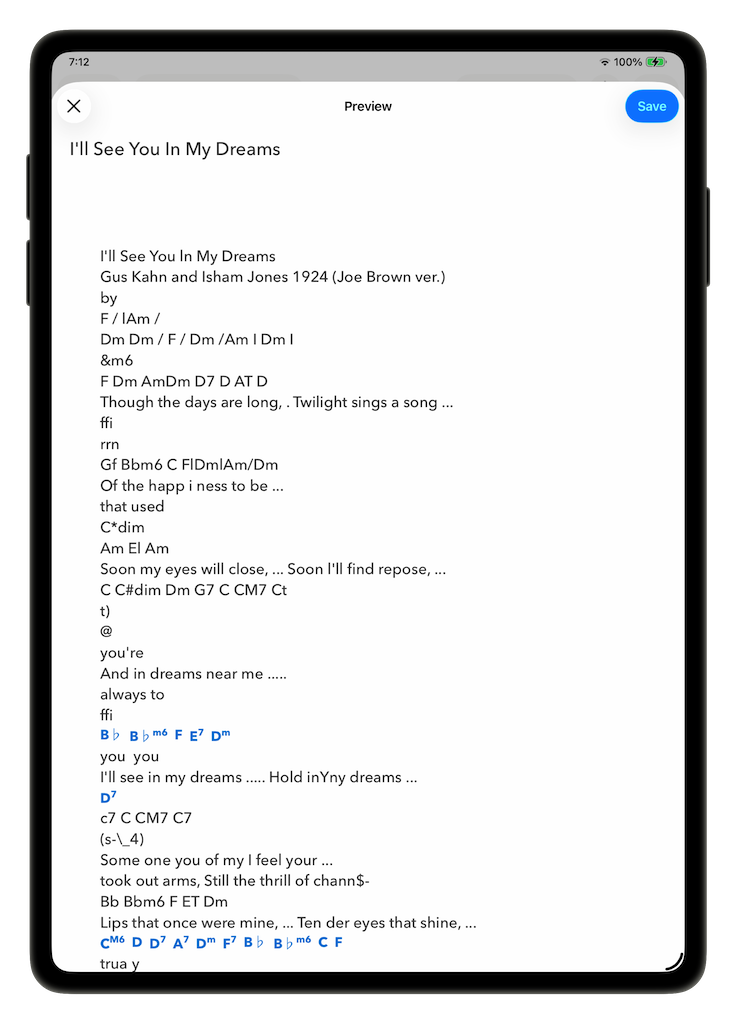
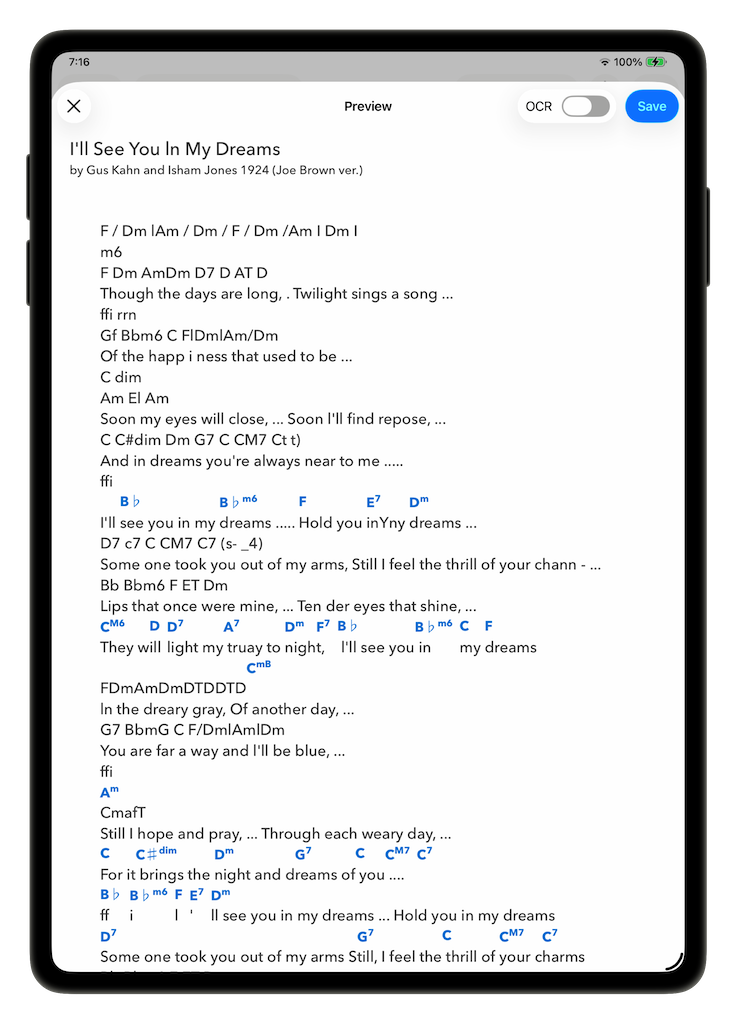
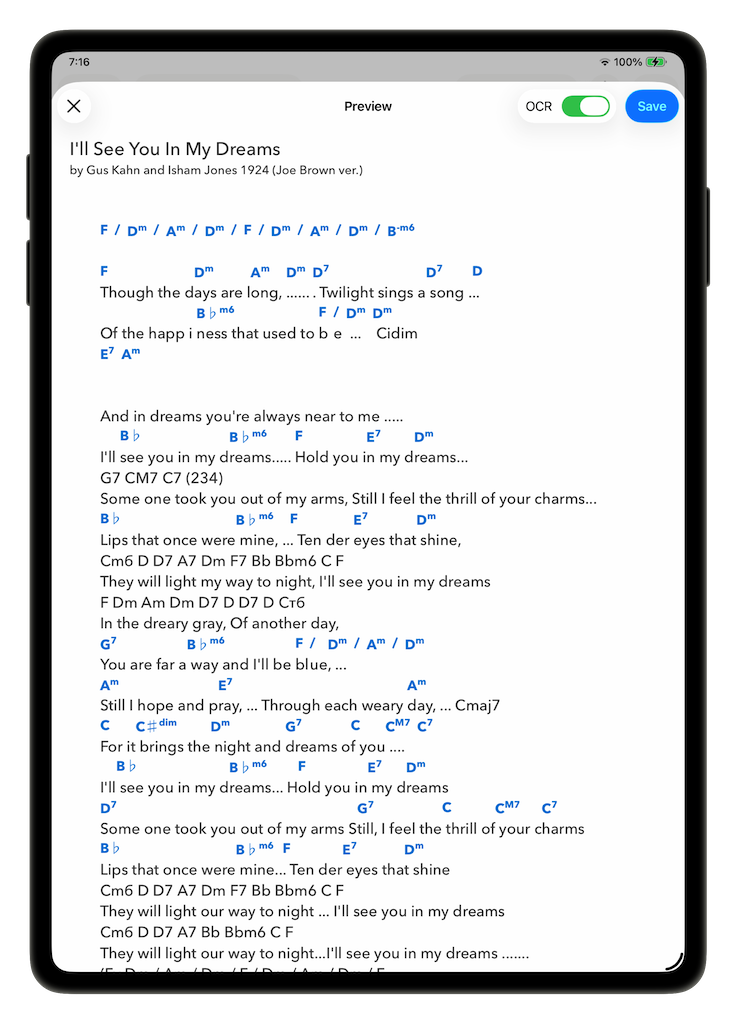
I’ll See You In My Dreams: Using text recognition to extract lyrics and chords
While many files can be converted using the text extraction method, sometimes some of the text is only “visible” to the OCR engine. The new version of SongSheet Pro has a toggle to force using OCR to parse a document, if the text-extraction doesn’t produce the expected results.
| Song, pre-conversion | Old conversion | New conversion | OCR conversion |
|---|---|---|---|
 |
 |
 |
 |
Scanning paper documents to text
The addition of OCR to SongSheet Pro allows you to scan paper documents and convert them to text in just a couple of easy steps. This is particularly useful for converting lyrics and chords from songbooks, song sheets, and other printed materials.
To see how powerful (and easy!) this new feature is, check out the video below.
Summary
SongSheet Pro now has greatly improved document conversion capabilities. Converting PDFs, RTFs, and Word documents into editable songs is now far more accurate and reliable with better detection of stanzas and chord positioning. With the addition of OCR, you can now scan paper documents and convert them to text, making it even easier to convert your songbooks and song sheets into editable songs.
Now that you’ve seen what this new conversion process can do, go on and try it for yourself! If you find some really good conversions, make sure to let everyone know!
But that isn’t where we are going to stop. We have many more ideas on how to improve document conversions, so keep an eye out for more updates in the future! And if you have ideas of your own or find documents where the conversion doesn’t work as well as you think it should, please send us an email, and we will do our best to put these improvements into a future update.